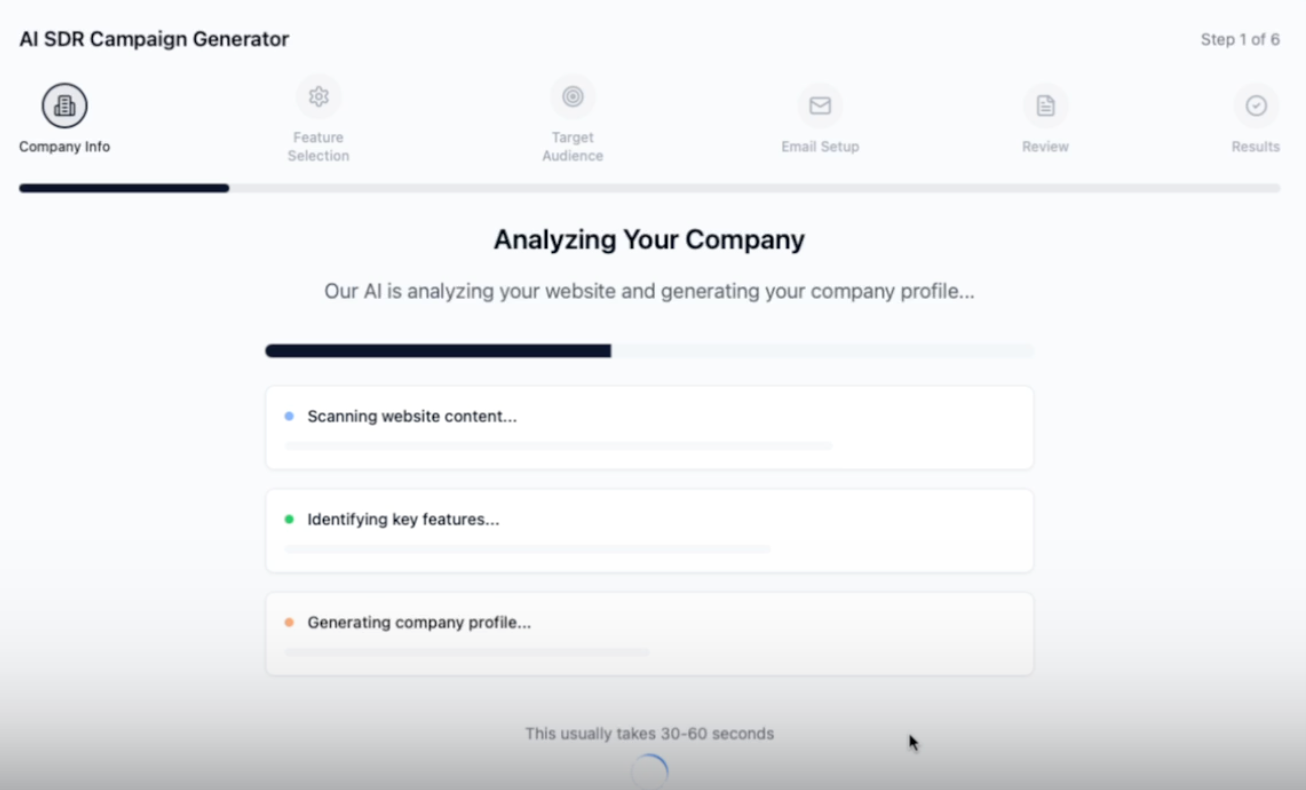
Watch Video Tutorial - For a clearer understanding, start by watching this step-by-step walkthrough.
Login to Our Client Portal at : http://portal.leadgenops.com/
All campaign launches are now handled directly through your new client portal. Once you log in, you’ll see the “Launch Campaign” section on the left menu of your dashboard.
Please click on “Launch Campaign.”

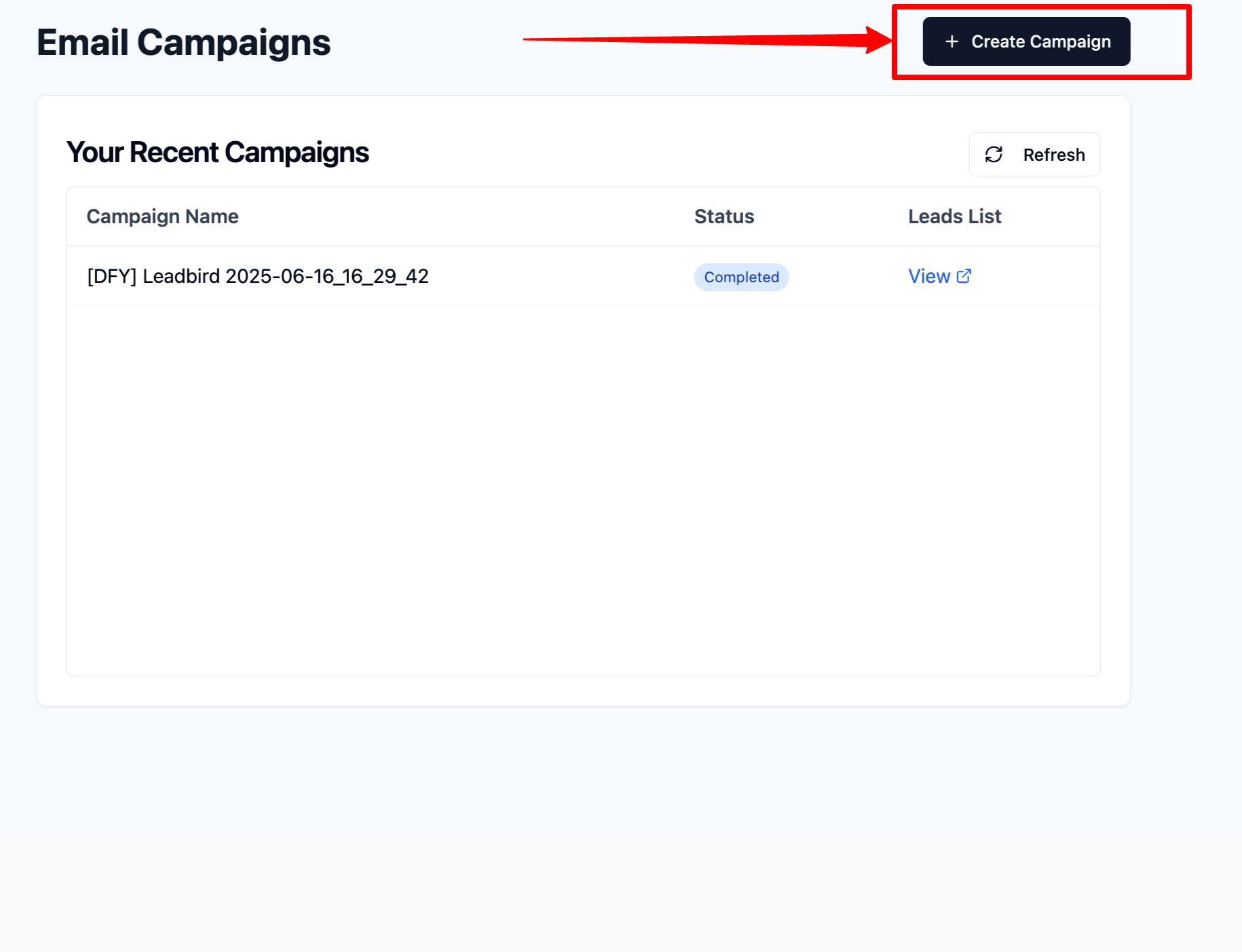
You will be prompted to a separate tab in your browser, where you will see a “+Create Campaign” button.Click on +Create Campaign
Choose “AISDR Campaign Generator” as your lead source.

You’ll be taken to a different UI designed for this generator.

Enter your company name and the main website URL associated with the offer you’re promoting (e.g., Ramp → ramp.com).
Provide your email address to continue.

The system will automatically analyze your website to pull content, features, and create a basic company profile. This takes around 30–60 seconds.
Read the summary and features extracted from your site.
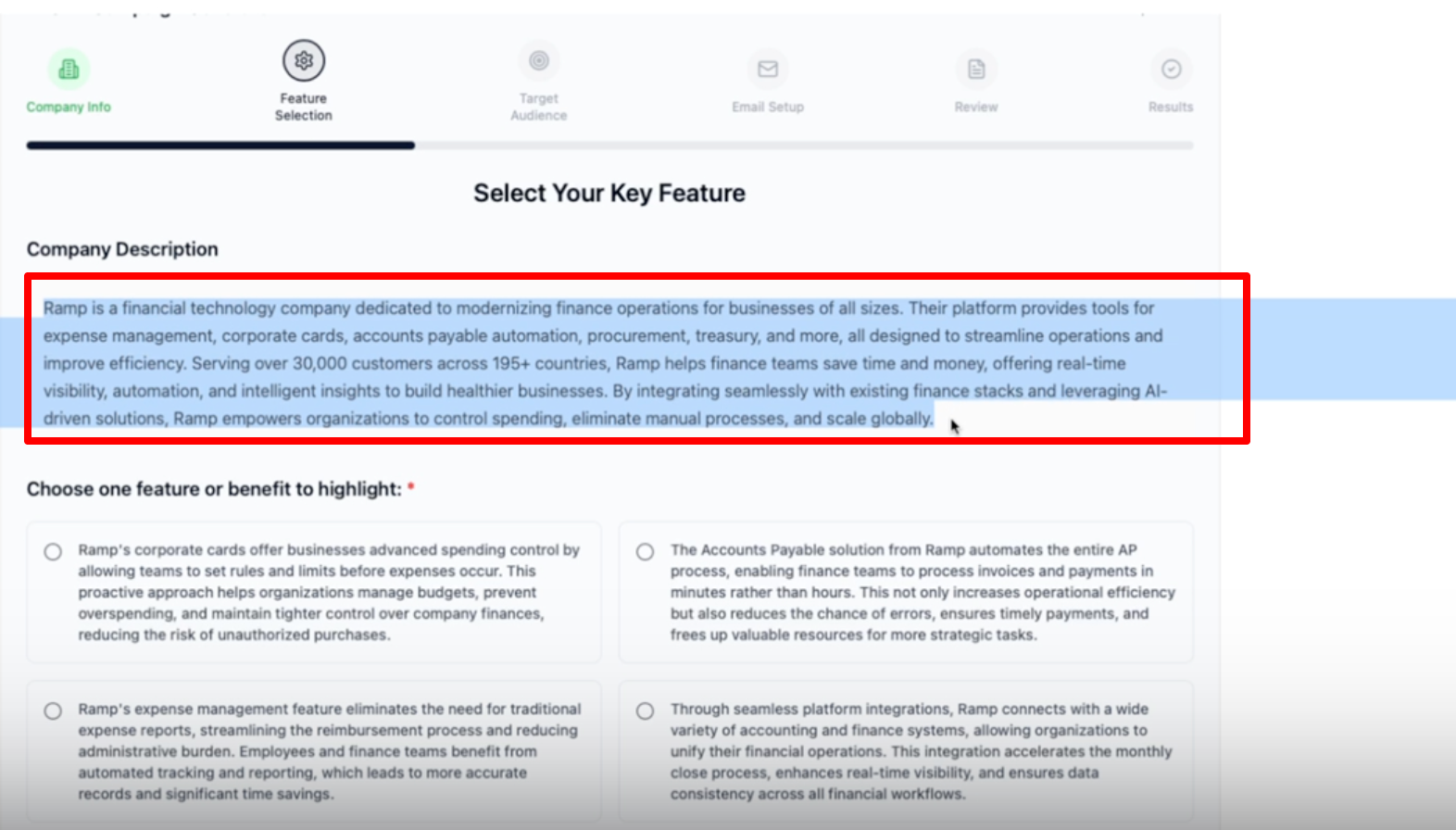
Select which feature you’d like to focus on in your email campaign.
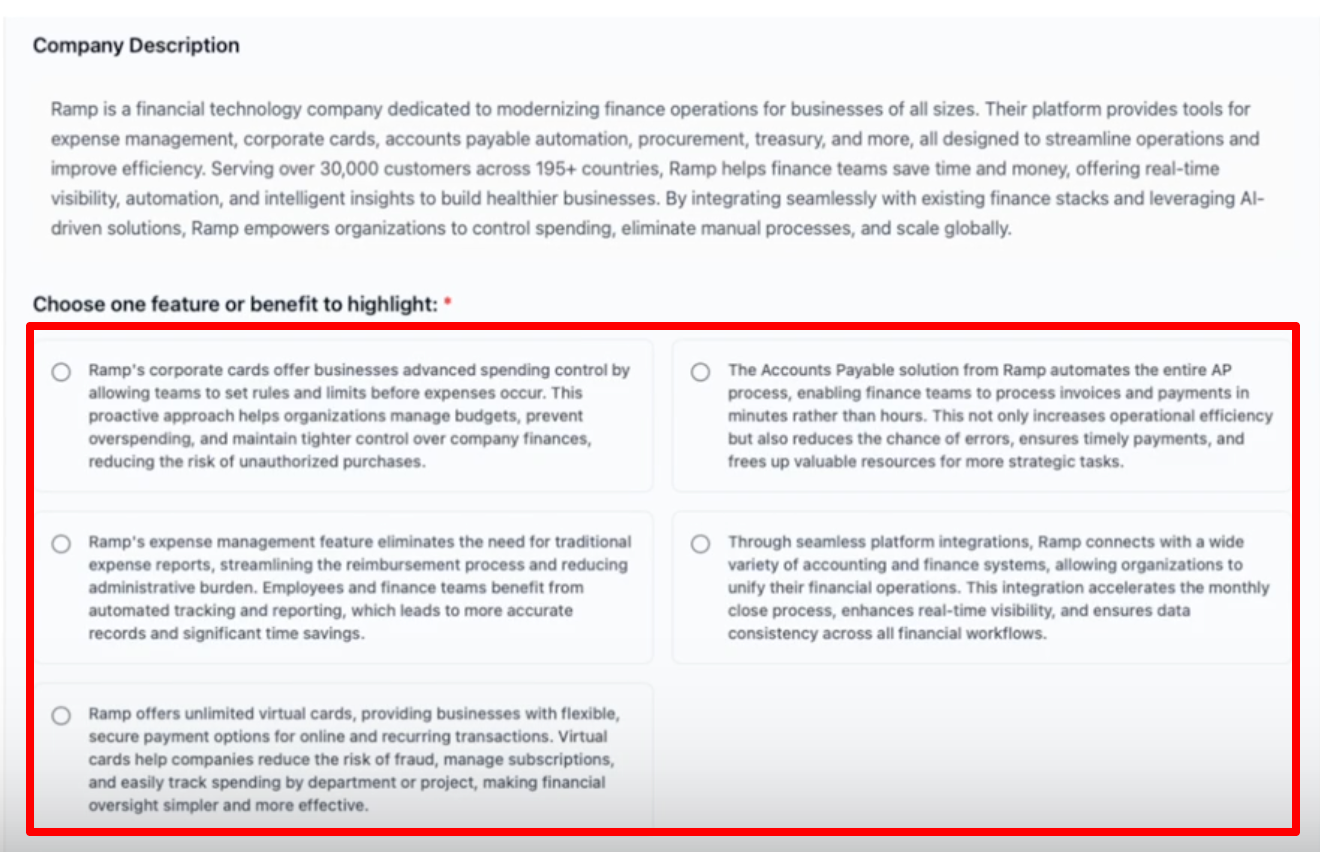
If your offer isn't listed, click “Other” and describe your pitch in detail.
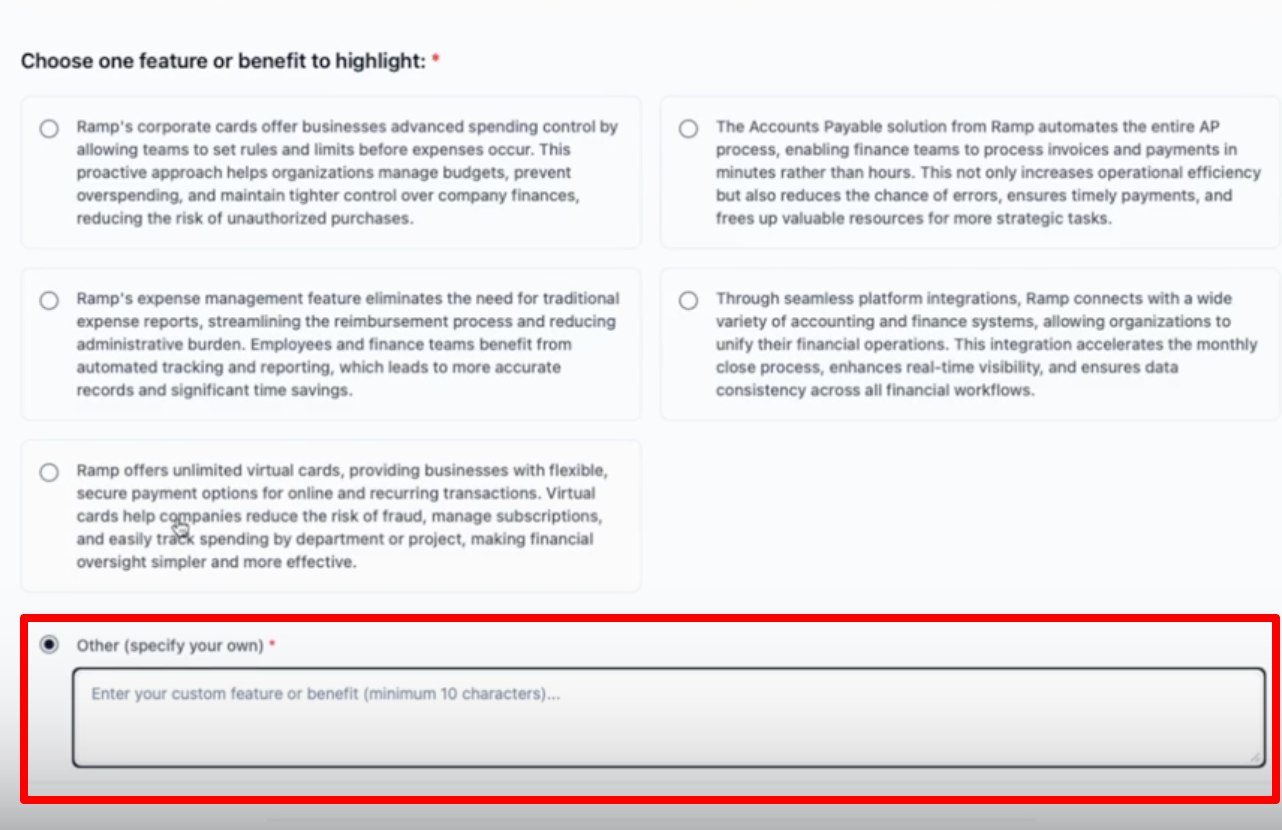
Once done, click on “Continue to Next Step”

Select:
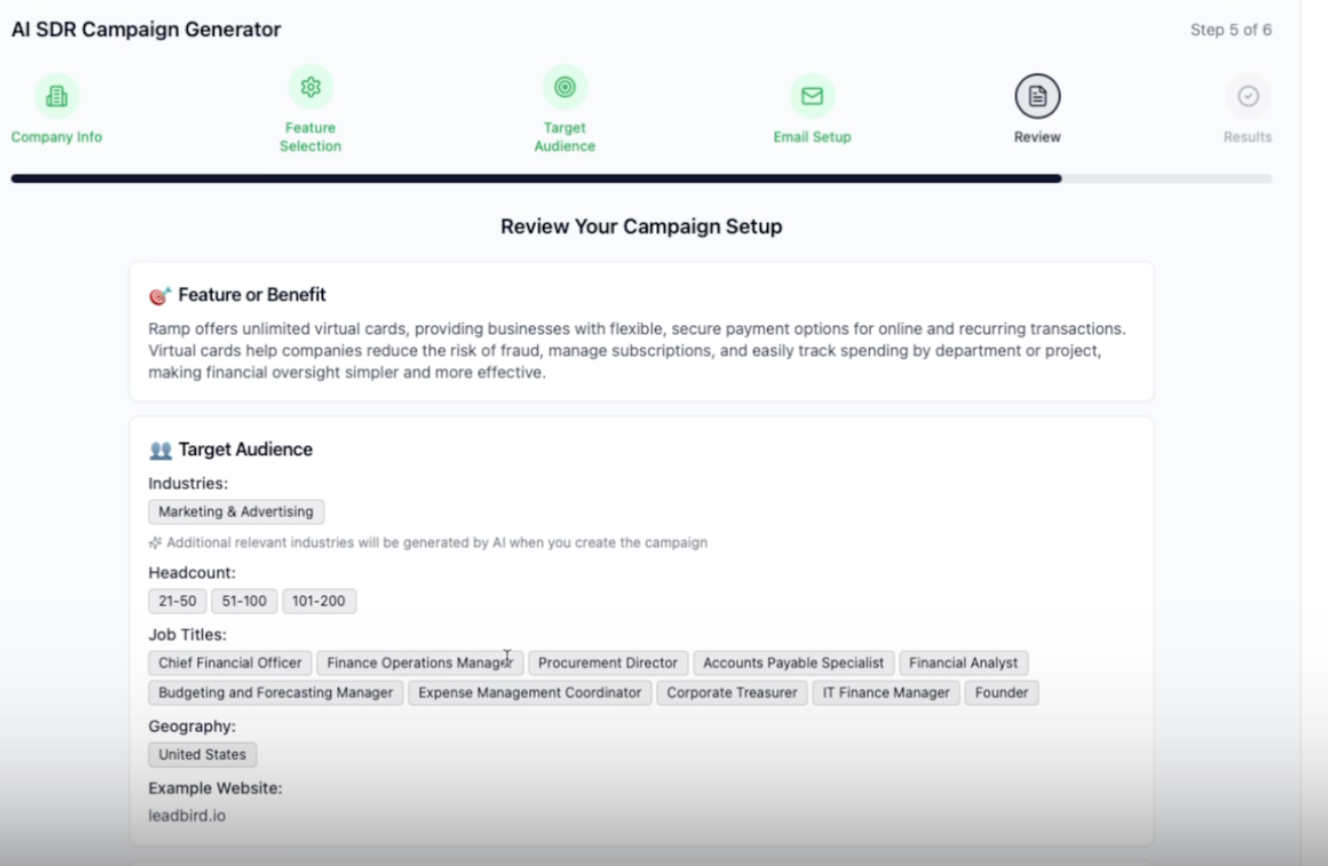
Industries (e.g., Marketing & Advertising)
Headcount range (e.g., 21–200 employees)
Geography (e.g., United States)

Choose how many contacts you need (e.g., 7,000).
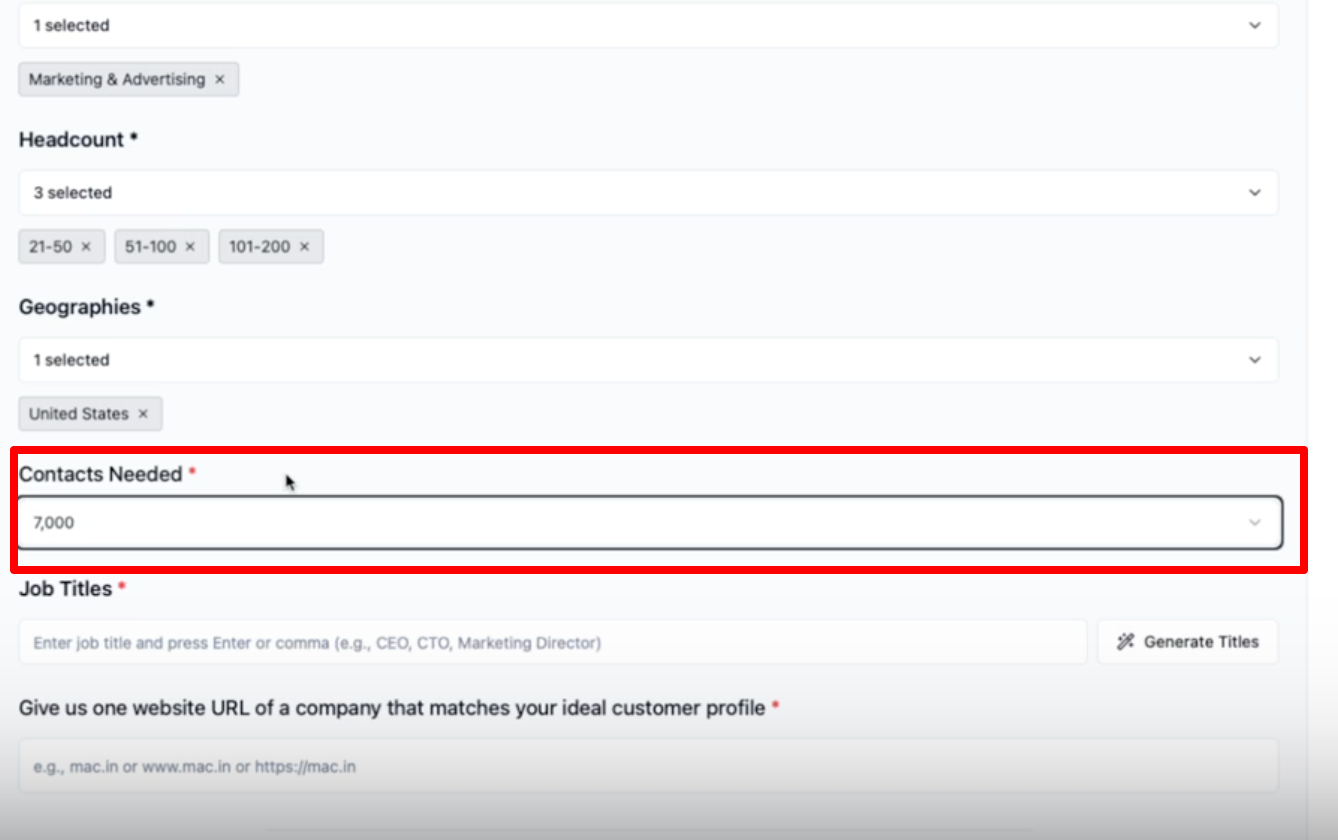
Input your target job titles, or click “Generate Titles” for AI-generated suggestions.

Review and remove/add roles as needed (e.g., remove “Risk Management Officer,” add “Founder”).
Provide a reference company website that matches your ideal customer profile.
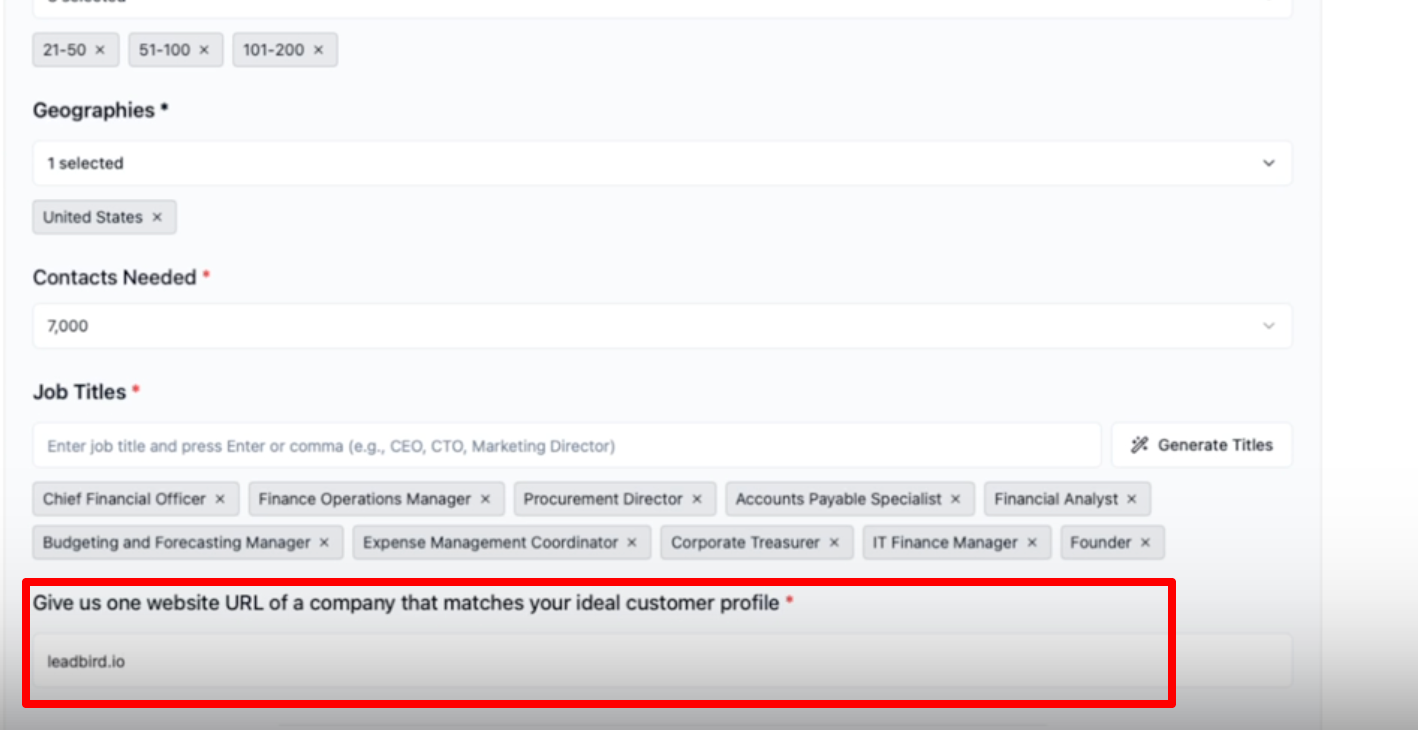
Once done, click on “Continue to Next Step”
Choose your subject line style (e.g., lowercase, ALL CAPS, or Title Case).
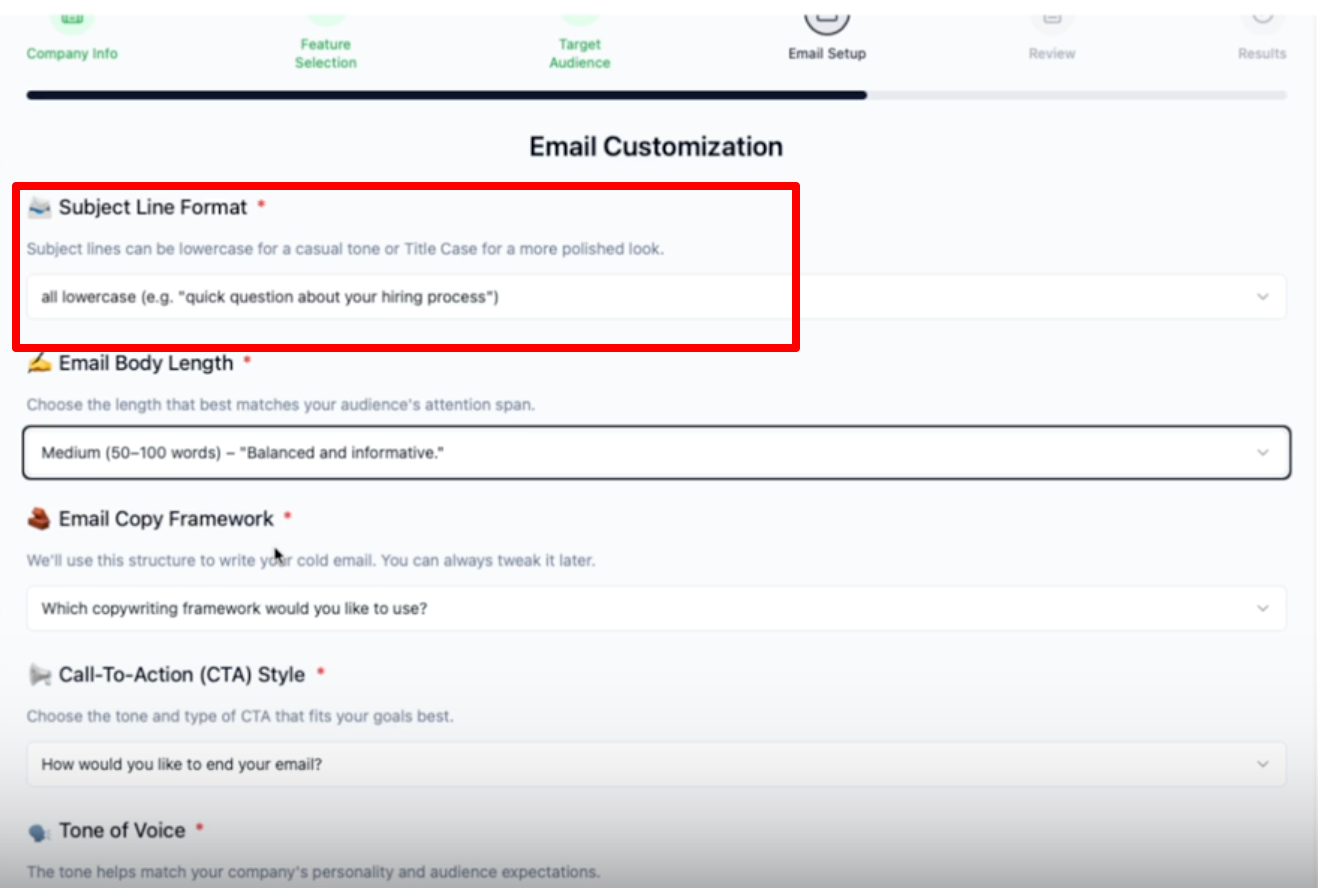
Select email length (e.g., Medium = ~50–100 words).
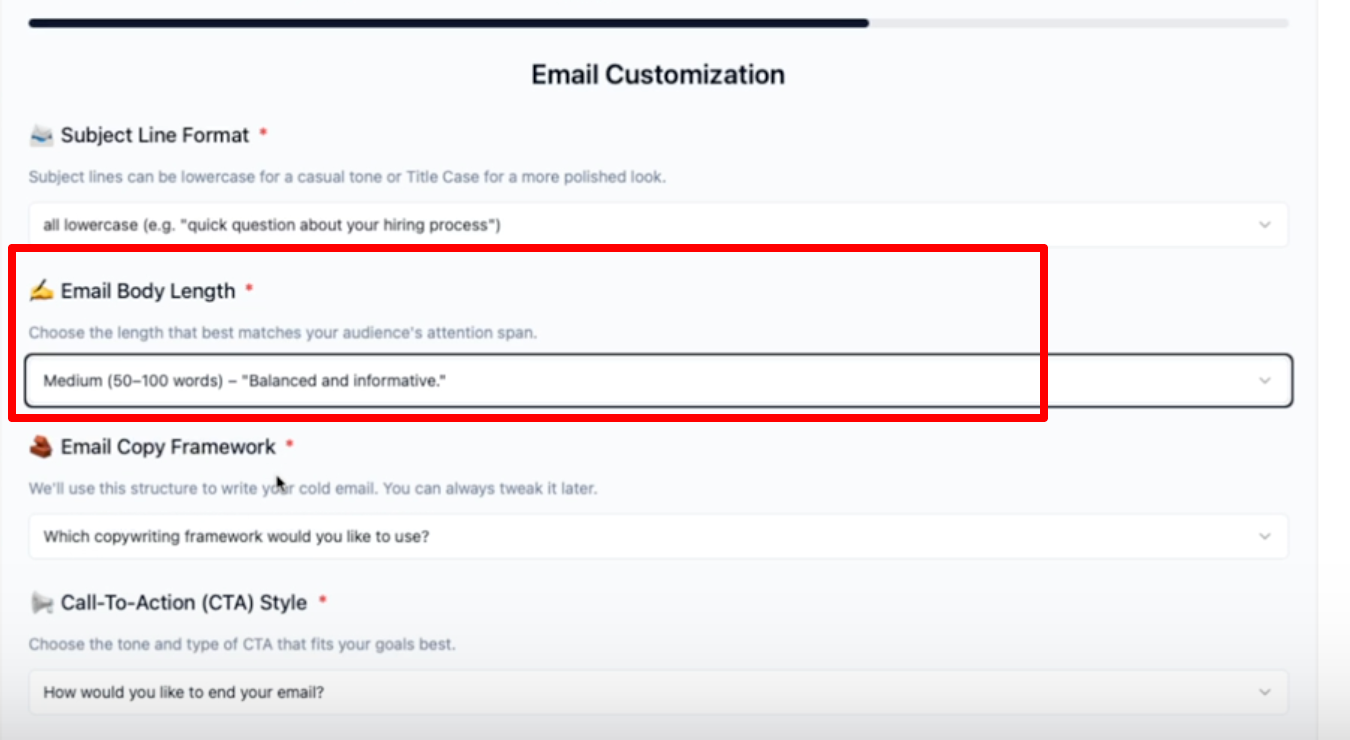
Choose a copywriting framework (e.g., Pain → Solution → CTA).
Set your call-to-action style (e.g., Casual Ask).
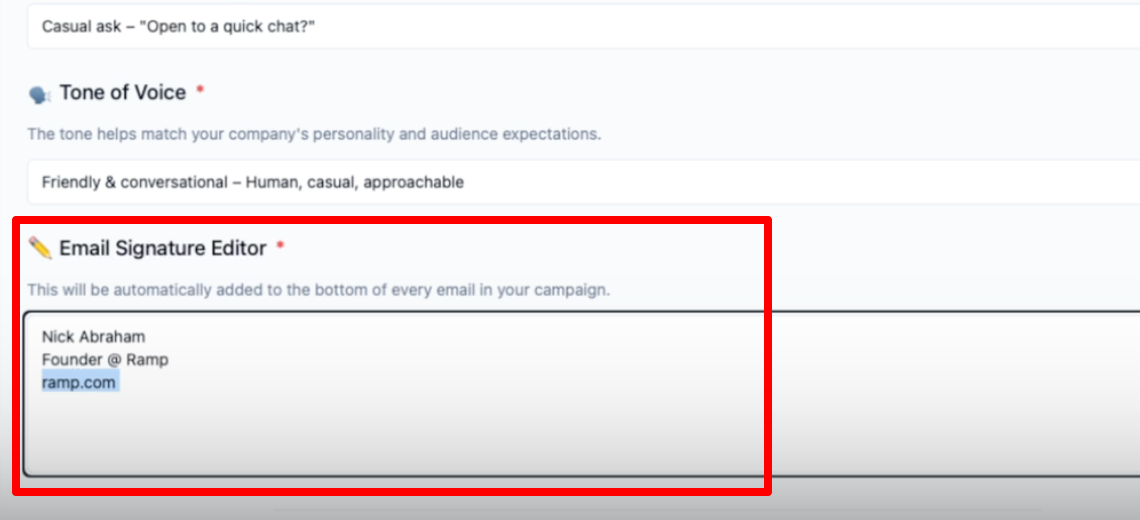
Select your tone of voice (e.g., Friendly, Conversational).

Enter your email signature (avoid links if possible).
Review all selections: feature, target audience, copywriting settings, etc.
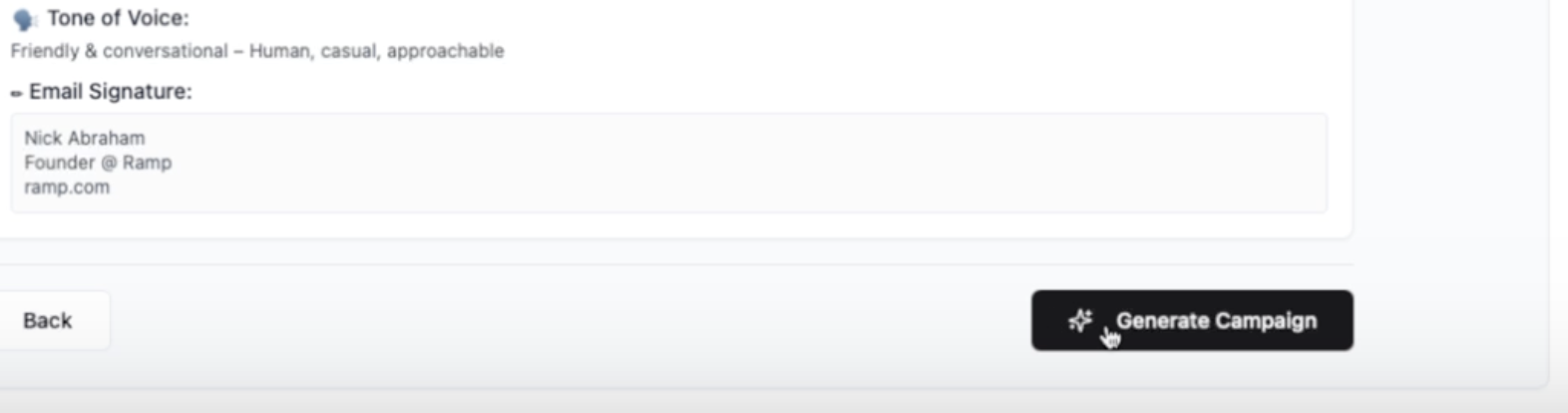
Click “Generate Campaign”.
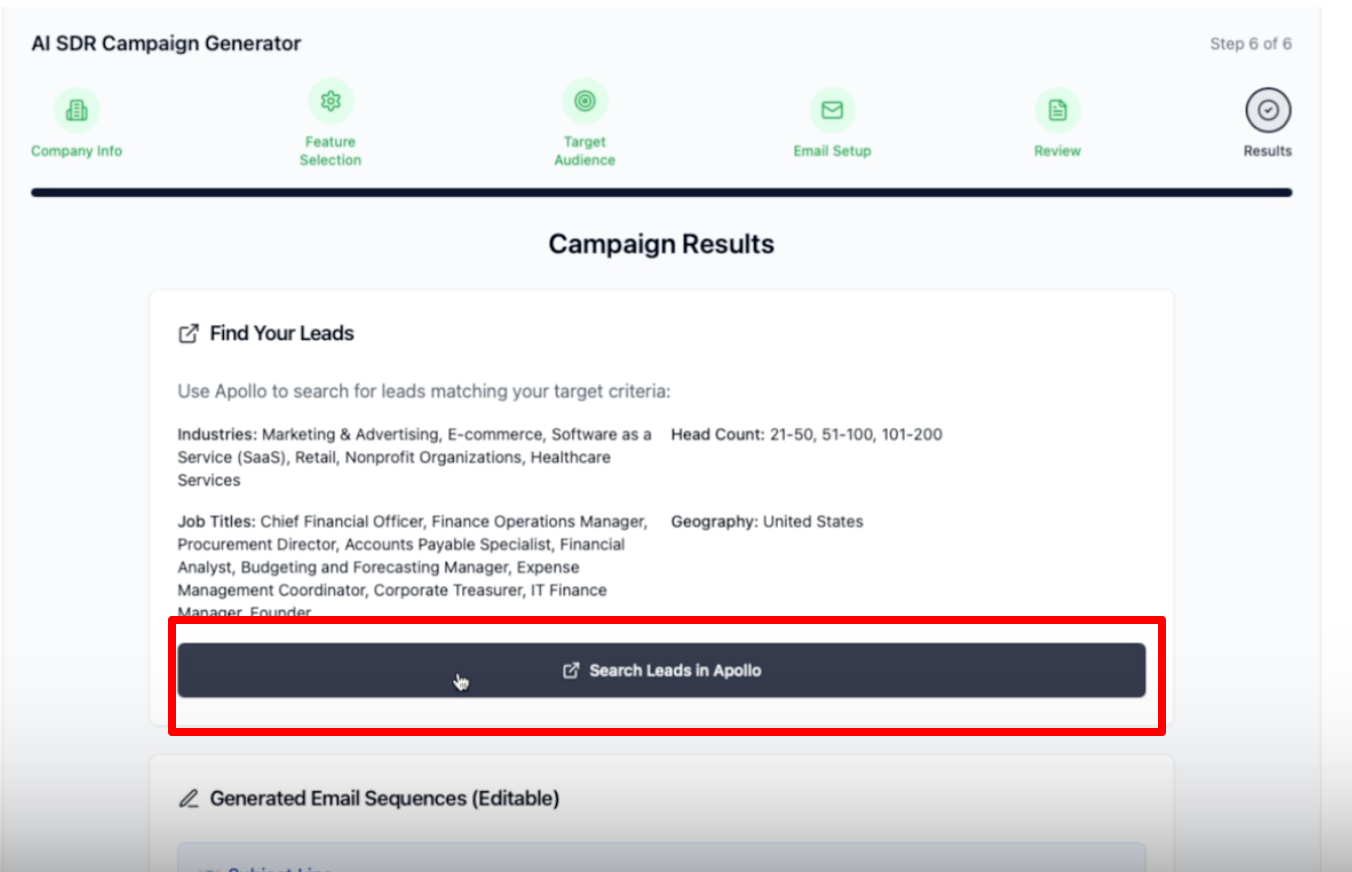
Click “Search Leads in Apollo” to view contacts based on your criteria. (Just for your review)
Review:
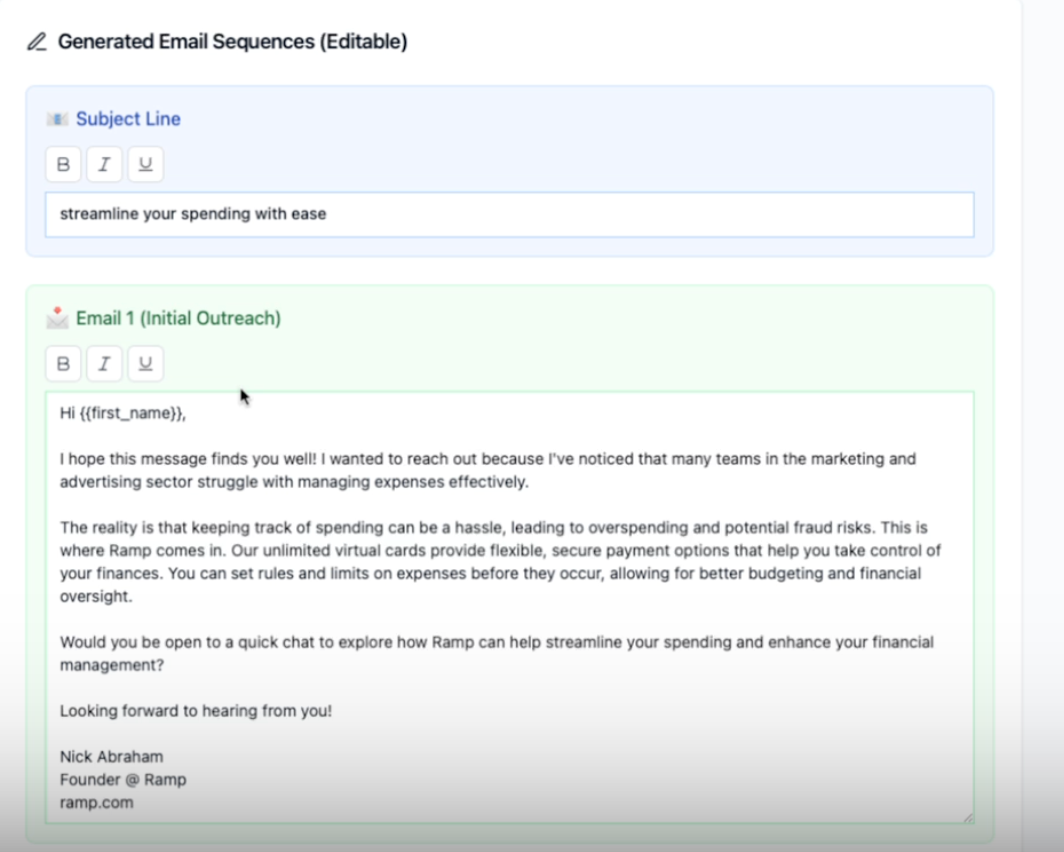
Email subject line
Email body copy
Follow-up email
Use the text editor to tweak any part of the content (e.g., change the opening line or CTA).
Once satisfied, click “Draft Campaign” — your campaign will appear in your sequencer within 2 hours.