If you're unable to see your Paused or Completed campaigns in the Email Campaigns section, don't worry—they haven’t been deleted. These campaigns are automatically archived after a period of inactivity (typically 5 days). Here's how you can view them:
 How to View Archived Campaigns:
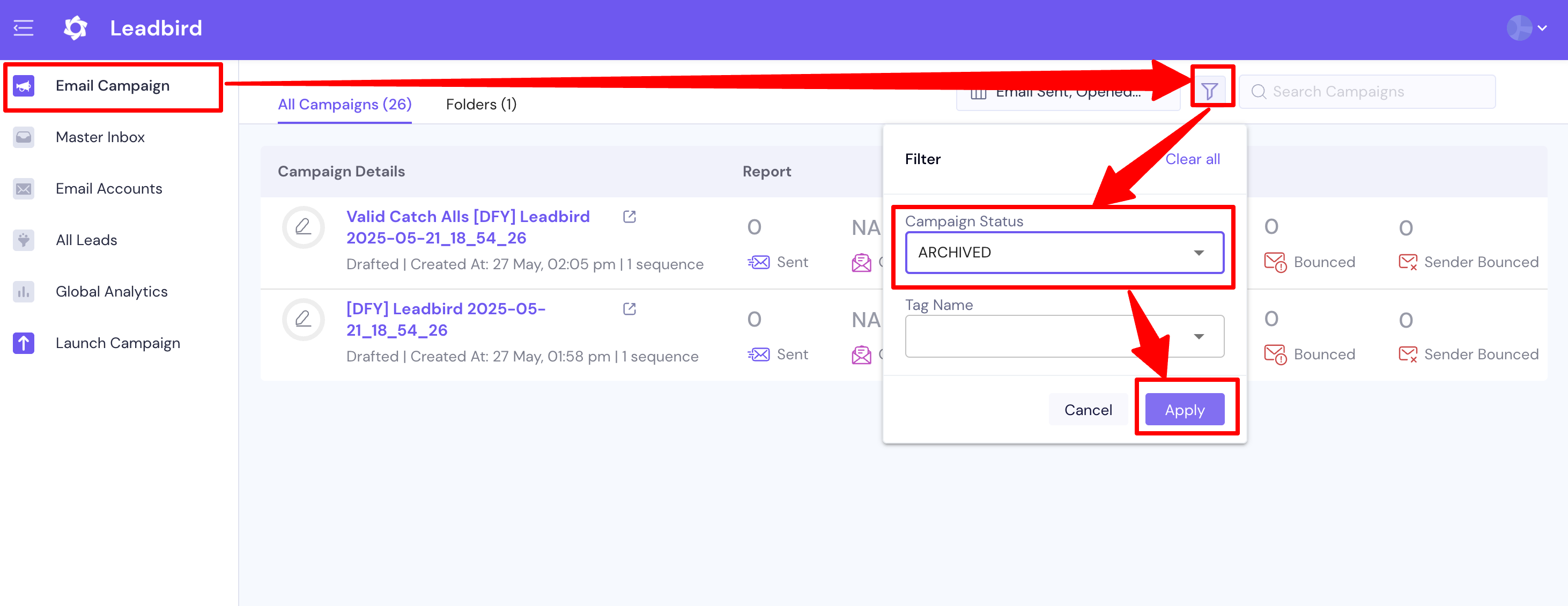
Go to the Email Campaigns section.
Click on the Filter icon.
In the Campaign Status dropdown, select "Archived".
Click Apply.
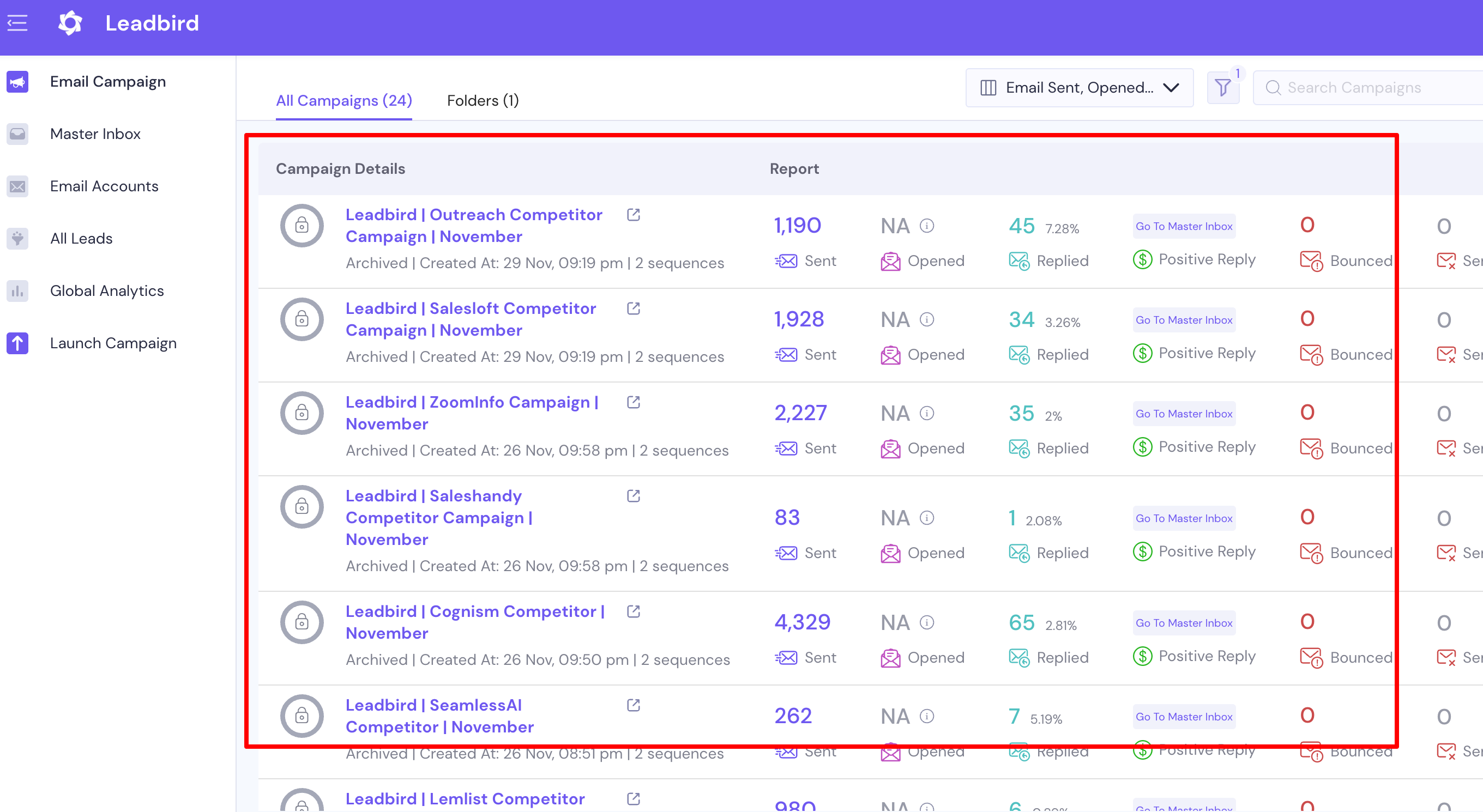
You’ll now be able to see all your archived campaigns, including those that were paused or completed.
 Why Are Campaigns Archived?
To keep your dashboard clean and focused, and auto re-cycle your monthly lead credit balance , campaigns that are no longer active (paused, completed, or inactive for over 5 days) are moved to the Archived section automatically.
